The main menu lets you perform tasks that are not usually related to a single patient and which are needed from multiple modules.
Log Off is the first menu item. See the Security section for information on how to setup users for log on and log off.
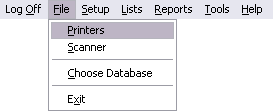
In the File menu, you can access the Printer setup, Scanner setup, and the Choose Database window:
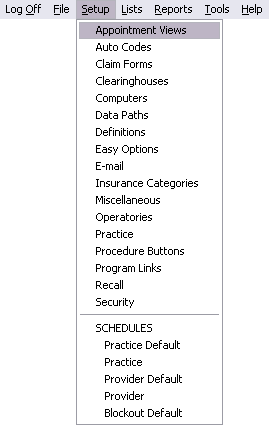
In the Setup menu, you can set up Appointment Views, Auto Codes, Claim Forms, Clearinghouses, Computers, Data Paths, Definitions, Easy Options, E-mail Setup, Insurance Categories, Misc Setup, Operatories, Practice info, Procedure Buttons, Program Links, Recall settings, and Security. Schedule setup includes the Default Schedules for Practice, Provider, and Blockout. It also contains a Daily Schedule for Practice and Provider.
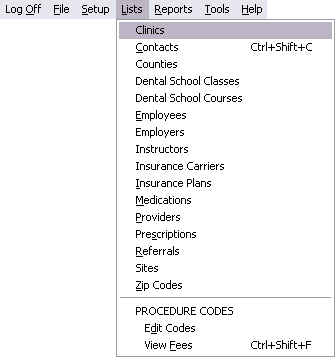
Lists include Clinics, Contacts, Counties, Dental School Classes and Courses, Employees, Employers, Instructors, Insurance Carriers, Insurance Plans, Medications, Providers, Prescriptions, Referrals, Sites, ZipCodes, and Procedure Codes.
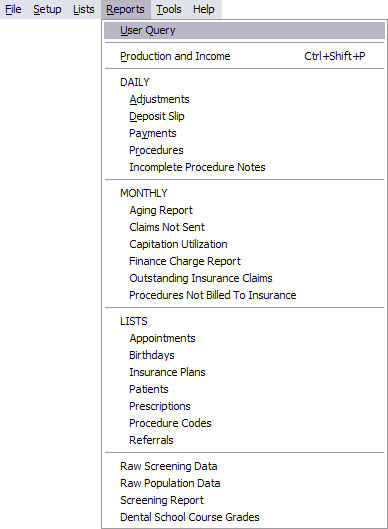
In the Reports menu, you can perform a User Query, which is a kind of custom report for advanced users. The Production and Income report is the most important and most frequently used report. There are also a variety of other premade Reports, including Daily Reports and Monthly Reports. Population and screening reports are part of Public Health. Dental School Course Grade report is only for Dental Schools.
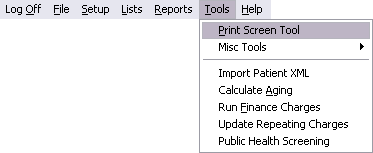
Tools include the Print Screen Tool, Misc Tools ( Check Database Integrity, Telephone Numbers, and Import Patient From Textfile), Import Patient XML, Calculate Aging, Run Finance Charges, and Update Repeating Charges. Public Health Screening is only used in Public Health.
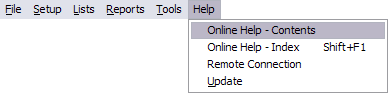
Online Help is available from the first two items in the Help menu. Remote Connection is used to allow us access to your computer for assistance and troubleshooting. Update lets you check for and download newer versions.